AngleForge
Food & drink · Product photography

AI packaged food and snack product photography

Food listing photos have to show the pack, a label shoppers can read and what the food looks like once it's open, without promising anything the pack doesn't contain. AngleForge works from your photo of the pouch, jar or box to make a white main image, label-forward angles, serving scenes and a size reference. Export with the Amazon or Shopify preset, or a custom size for Flipkart.
  • Chips & savoury snacks
  • Cookies & sweets
  • Sauces & condiments
  • Spices & seasonings
  • Jams & spreads
  • Food gift boxes
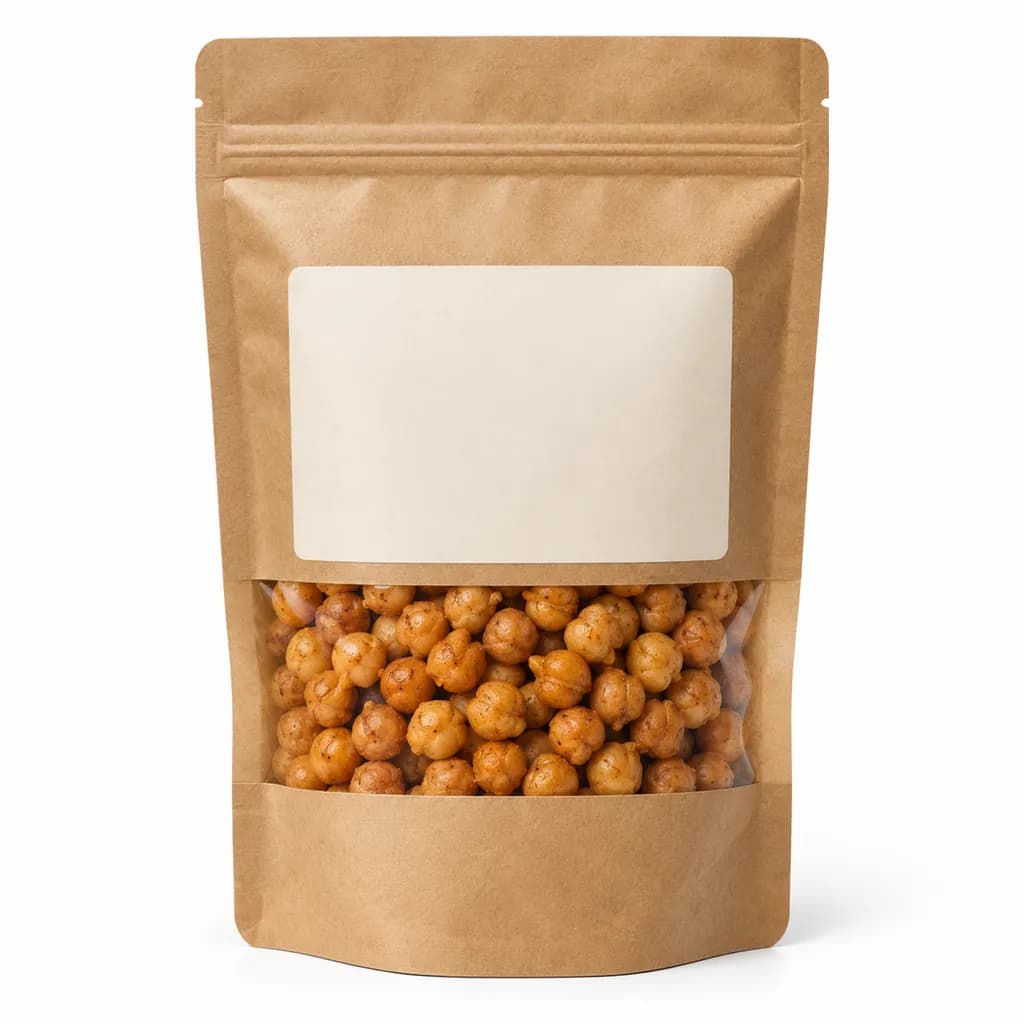
AI-generated hero shot: a matte kraft stand-up pouch with a blank cream label
Hero
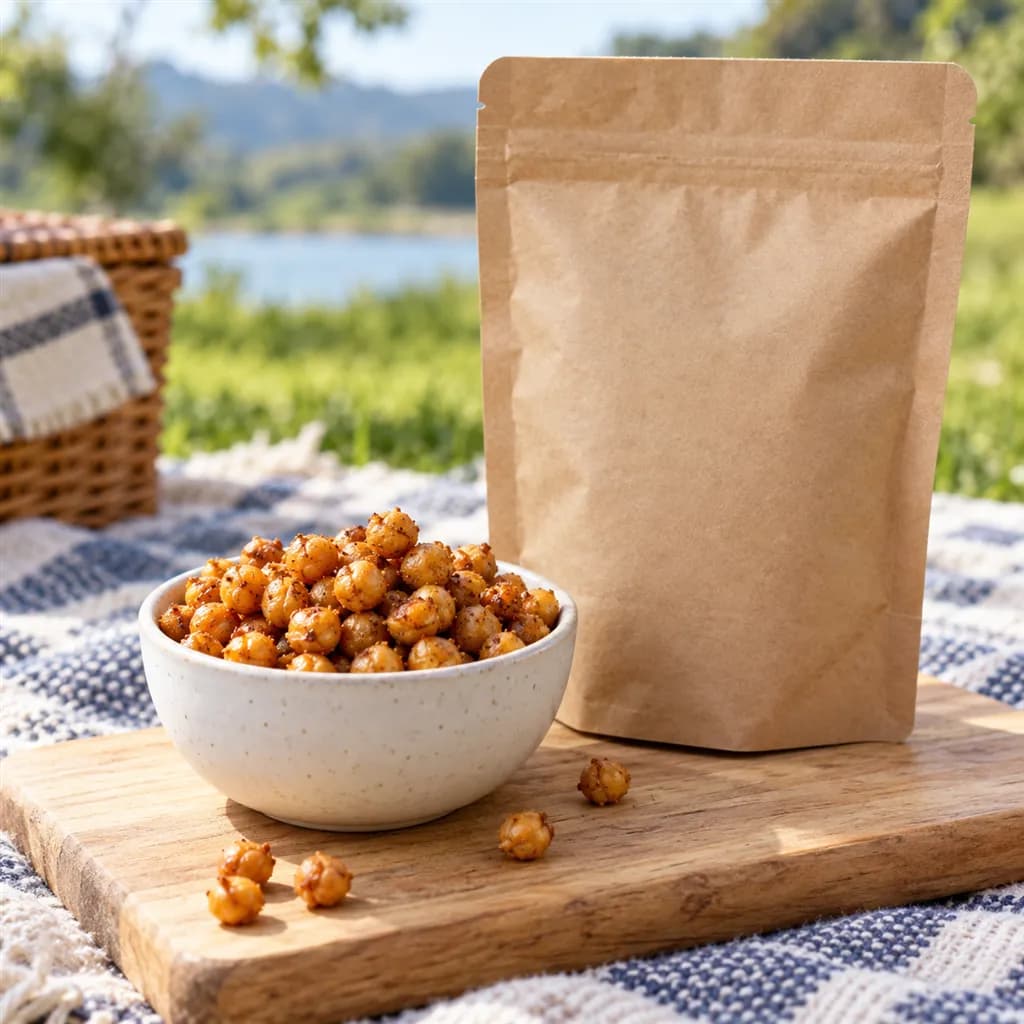
AI-generated lifestyle scene: a small white ceramic bowl of golden roasted chickpeas beside an unbranded kraft stand-up pouch on a pale wooden board on a picnic blanket
Lifestyle

Sample images AI-generated from a text description. Yours are made from your own product photo.

Packaged food needs two kinds of photo at once. The pack has to look crisp, with every word on the label sharp, and the food has to look appetising and true to what's inside. Labels cause most of the trouble: a glossy pouch throws glare across the ingredients, a round jar bends the text out of view, and a kitchen photo under warm bulbs turns a white label yellow. The food causes the rest, because a biscuit styled bigger, glossier or more golden than the real one sets up a disappointed buyer.

Marketplaces and food regulators care about what the photos show, too. Amazon's guide to selling groceries asks for photos that clearly show the packaging and labelling, and India's FSSAI labelling rules say the mandatory label information must reach an online buyer before the sale. AngleForge never redraws your label, nutrition panel or net weight, so the words stay exactly as printed. Start with a sharp, glare-free photo of the front, and keep your own straight photo of the back panel for the ingredients slot.

What shoppers check

The questions your photos have to answer

What's in it, and does it contain my allergen?

A sharp, straight photo of the ingredient list and allergen statement answers it. Use your own photo of the back panel for that slot, since generated angles show only the label your photo shows.

How much do I get?

A With scale shot next to a hand shows whether a pouch is a single serving or a family pack, and the net weight should stay readable on the front of the pack in the Hero.

What does it look like out of the pack?

A Lifestyle or Top-down serving shot shows the colour, size and texture of the food. Describe the food in the brief so the portion on the plate matches what's in the pack.

How does the pack open?

A 45° view shows the zip, spout or lid and the depth of the pack.

The shot list

Shots that sell packaged food & snacks

A set of 8 images includes every shot on this list, because each set uses the angles in order. That is 16 credits at 2 credits an image.

  1. 1

    Hero

    The pack upright and alone, with the product name and flavour readable at thumbnail size, as the main image.

  2. 2

    Front

    The front panel square to the camera, so the name, flavour, net weight and any certification marks read without curve or glare.

  3. 3

    45°

    Shows depth: a pouch's gusset, a jar's lid, a bar's thickness, which helps buyers judge size and how it opens.

  4. 5

    Top-down

    A flat lay of the pack with the food beside it, or an open gift box from above with every item visible.

  5. 6

    Detail

    A close-up of texture when the food is in your photo: the crumb of a biscuit, the seeds in a cracker, the grind of a spice blend.

  6. 7

    Lifestyle

    The food served the way people eat it, with simple props that nobody could mistake for part of the order.

  7. 8

    With scale

    The pack beside a hand, so a 50 g snack bag and a 500 g sharing bag look like what they are.

Settings to use

Start with these in AngleForge

Category
Food & Bev
Lighting mood
Clean
Background
Cut-out white
Set size
8 images
Open with these settings

6 free credits on sign-up for 3 test images · no card needed

Example brief

“Resealable 200 g stand-up pouch of roasted chickpeas, sea salt flavour. Keep all label text, the net weight and the nutrition panel exactly as photographed; bright, even light with no glare on the pouch; in serving shots show plain roasted chickpeas only, with no dips or garnish.”

Styling and light

  • Cut glare on glossy pouches and jars with large, diffused light from both sides. A reflection across the ingredient list hides the one panel careful buyers read first.
  • Style the food with what's actually in it. A chilli sauce can sit beside fresh chillies if chilli is an ingredient; a garnish the recipe doesn't contain misleads.
  • Keep serving props plain: a white bowl, a wooden board, a linen napkin, and no second branded product in frame.
  • Shoot every flavour on the same background, light and angle, so the range sits together as a family on the store page and in search.
Marketplace rules

What each marketplace expects

Rules change, so check the current category guide in your seller dashboard before you upload.

Amazon

  • Amazon's guide to selling groceries says some products need approval: if a product shows an Apply to sell button, apply before you upload. The same guide asks for clear photos from several angles that show the packaging and labelling.
  • In Amazon's US store, labels must be in English and meet FDA and USDA labelling guidelines, and dietary claims such as organic or gluten-free need the right approvals or certifications behind them.
  • Seller guides summarising Amazon's grocery rules say every Grocery & Gourmet Food listing needs an image of the nutrition and ingredients information, and that images should include only the products for sale.
All Amazon image requirements

Flipkart

  • FSSAI's Labelling and Display Regulations say food sold online must give the buyer the label's mandatory information before the sale, except the batch number and the manufacture, best-before and expiry dates. Readable photos of each label panel help cover it on Flipkart, Amazon.in and other Indian marketplaces.
  • FSSAI's December 2024 advisory tells e-commerce platforms not to list a food business without displaying a valid FSSAI licence or registration, so have your licence number ready before you list.
All Flipkart image requirements

Shopify

  • Put a label image in the product gallery and list ingredients and allergens in the description too, so shoppers on a phone can check both without leaving the page.
All Shopify image requirements

Common packaged food & snacks photo mistakes

  • Glare across the ingredient list or nutrition panel, so the panel buyers need most can't be read.
  • Serving shots with dips, garnishes or sides that aren't in the pack, which makes buyers think they're included.
  • A main image of the food on a plate with no pack in view, so shoppers can't tell what they're buying.
  • Health or nutrition claims added in image text that the pack and its certifications don't support.
  • An old photo kept after a recipe or label change, so the ingredients shown no longer match the pack that ships.
FAQ

Packaged food & snacks photography questions

Will AI change my label or nutrition facts?
No. Label text, the nutrition panel and the net weight stay exactly as they appear in your photo and are never redrawn. AngleForge also won't invent a panel your photo doesn't show, so use your own straight photo of the back of the pack for the ingredients and nutrition slot.
Can I show the food out of the pack?
Yes, in the Lifestyle and Top-down shots. Food that isn't in your photo is drawn from your brief, so describe its shape, colour and size and say what it's served with. Check each image against the real product, and keep the main image on the pack itself.
How do I photograph a gift box or hamper?
Arrange the box open with every item visible and use that as your source photo, so the Top-down shot shows the full contents. The 16-image set adds Components, which lays out the items shown in your photo, and Packaging, which pairs the product with its box when both appear in your photo.
Do I need approval to sell food on Amazon or Flipkart?
Often, yes. On Amazon, some grocery products show an Apply to sell button and need approval first. In India, FSSAI tells marketplaces not to list food sellers without a valid licence or registration. Check the current category requirements before you upload.
How many credits does a food photo set use?
Every image is 2 credits, so the 8-image set on this page costs 16 credits and a 16-image gift-box set costs 32. Images that fail are refunded automatically. Your first 6 credits are free for 3 test images, and the smallest credit pack is $12 for 30 credits.

Related categories

Selling on Amazon?

Related guides

Your next listing, ready today

Sign up, upload a photo and your first image is ready in about 30 seconds. Make 3 images free, then pick a pack or plan. Your first credit pack comes with 50% extra credits.

  • 3 free images
  • No card needed
  • Failed images refunded