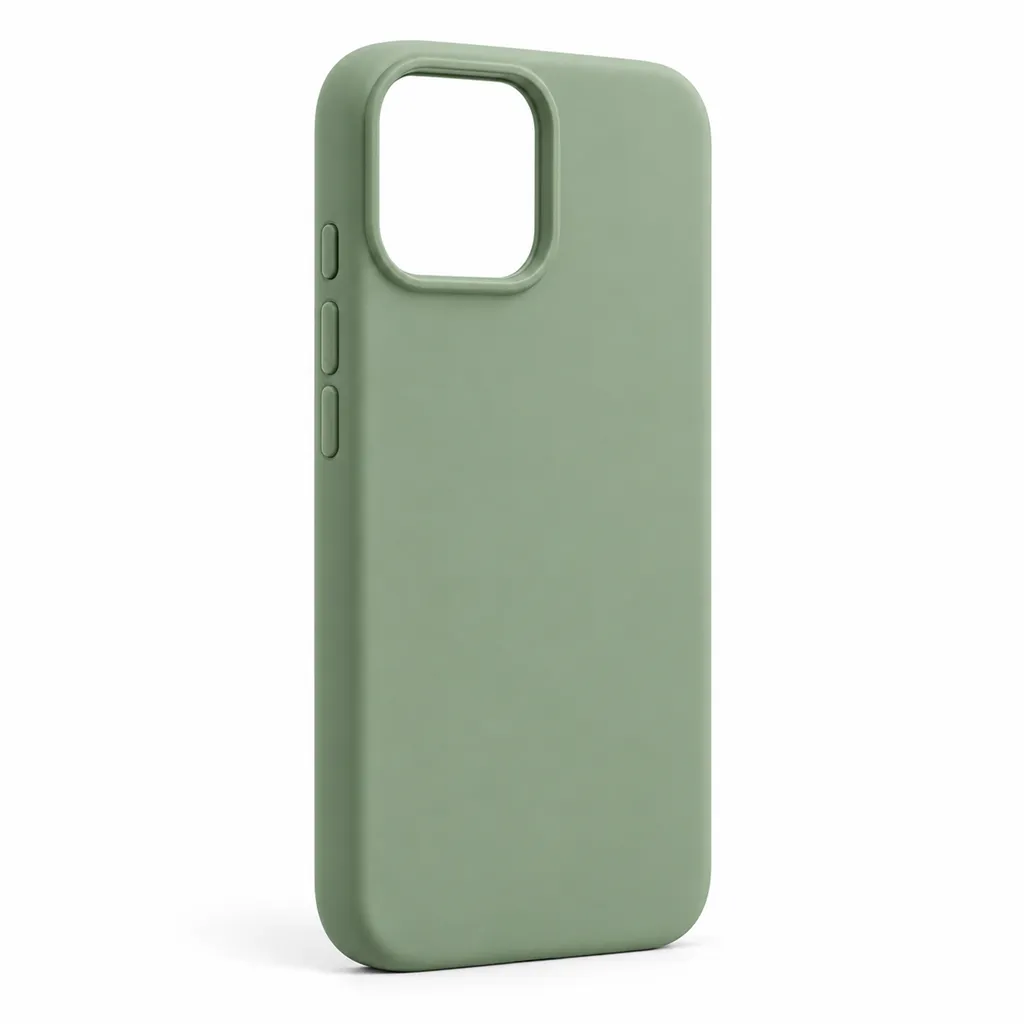
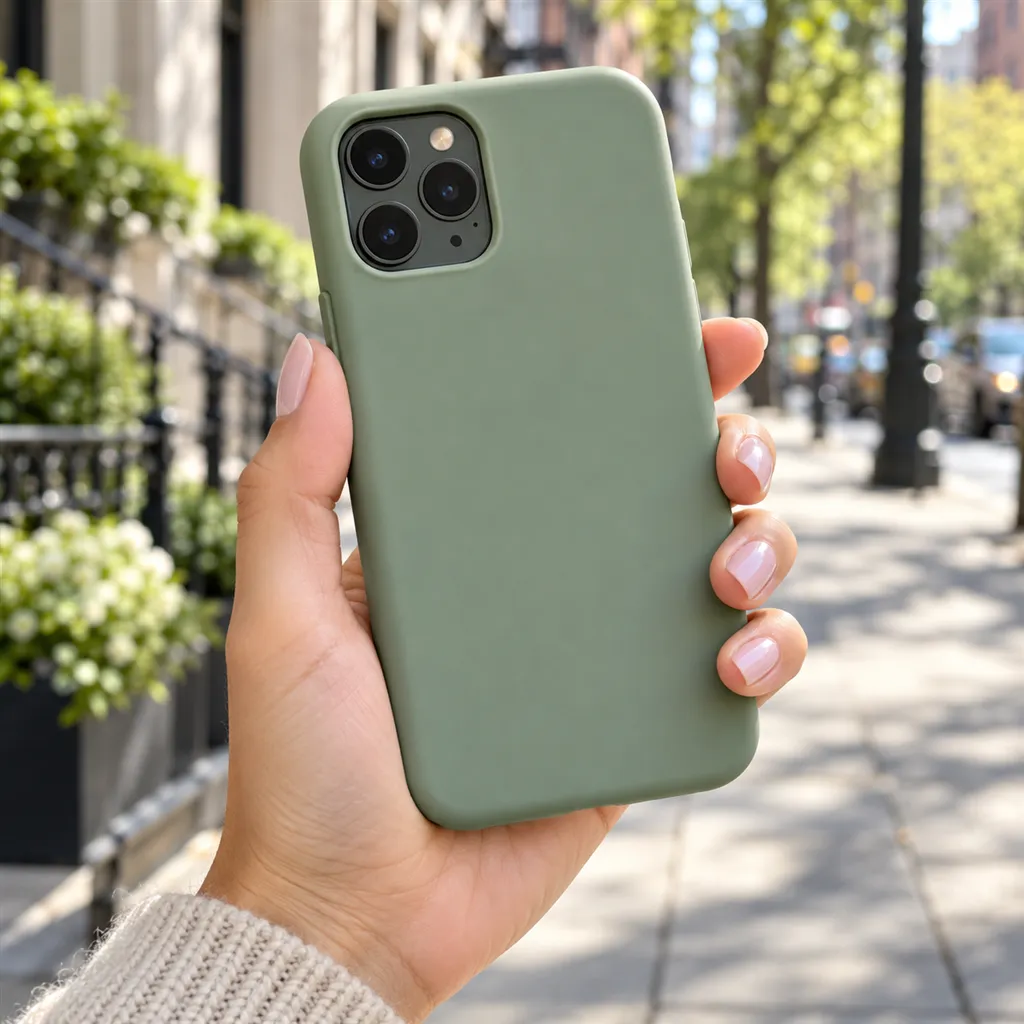
Phone accessory photos have to prove fit and function: that the case's cut-outs line up, which ports a charger has, how long a cable is and how big a power bank feels in the hand. Give AngleForge a photo of your accessory and it renders a white main image, angled views of edges and ports, close-ups of cut-outs and connectors, and size and in-use scenes for Amazon, Flipkart and Shopify.
Sample images AI-generated from a text description. Yours are made from your own product photo.
Phone accessories look simple and photograph badly. Clear cases almost disappear on white, glossy chargers throw hot spots, black cables sink into shadow, and a screen protector is a sheet of glass with almost nothing to see. Nearly every buyer is also checking compatibility, so a cut-out that looks slightly off or a port that can't be identified raises a doubt the listing has to answer.
There is a rule to plan around too. A case looks its best fitted on a phone, but marketplace main images are meant to show only what the buyer receives. AngleForge keeps your accessory as photographed, so photograph the case on its own for the main set; for on-phone pictures, fit it on a plain phone with no visible logo and run that photo as a second set for the gallery.
What shoppers check
The questions your photos have to answer
Will this case fit my exact phone?
Close-ups of the camera cut-out, port opening and button covers let buyers compare them with their own phone. Name the compatible models in the title and bullets as well, because a photo can't confirm a model number.
How much protection does it give?
A side view shows the lip height around the screen and camera and the thickness of the corners, the details buyers compare between slim and rugged cases.
Which ports does the charger or power bank have?
A close-up of the ports, and of the output rating printed on the body, shows USB-C or USB-A at a glance and lets careful buyers check the wattage.
Will the power bank fit in my pocket?
A With scale shot beside a hand shows its size and thickness, a question the capacity figure in mAh can't answer.
How long is the cable, and are the ends well made?
An overhead view of the coiled cable shows both connectors and the braid, and a close-up of the connector housing shows build quality. State the length in the title, since a coil hides it.
The shot list
Shots that sell phone cases & accessories
A set of 8 images includes every shot on this list, because each set uses the angles in order. That is 16 credits at 2 credits an image.
1
Hero
The main image: the case alone with its back to the camera, or the charger, cable or power bank exactly as sold.
3
45°
The case's raised lip and side buttons, or a charger's plug and ports, in one view.
4
Side
Profile for thickness: case corners, the depth of a power bank or the fold of a phone stand.
5
Top-down
Straight down on a case's printed back, a coiled cable with both ends showing, or the face of a power bank.
6
Detail
Macro of the camera cut-out, a port, a connector or the printed output rating.
7
Lifestyle
In use on a desk, in a car or in a bag; describe a plain phone with a dark screen in your brief so no other brand appears.
8
With scale
Beside a hand or a coffee cup, so buyers see how pocketable a power bank or how compact a charger is.
6 free credits on sign-up for 3 test images · no card needed
Example brief
“Sage green silicone phone case with a raised camera surround and a microfibre lining. Keep the button covers, the camera cut-out and the exact green as photographed; even light with no glare on the matte finish.”
Styling and light
Light clear cases from the side or behind so their edges and corners catch a highlight. Lit flat from the front, a clear case melts into a white background.
Stand a case on its edge, slightly turned, so the back, the lip and the button covers all show in one photo.
Coil cables loosely with both connectors facing the camera, so buyers can identify each end.
Angle the light on chargers and power banks so the printed output rating and port labels stay readable; careful buyers zoom in to check them.
Peel off shop stickers, price labels and protective film first. AngleForge keeps the product as photographed, so anything stuck to it can carry into every image.
Marketplace rules
What each marketplace expects
Rules change, so check the current category guide in your seller dashboard before you upload.
Amazon
Amazon's Consumer Electronics style guide (2018) says the main image for a cell phone accessory should always show the accessory unpackaged, with the packaged product as the second image; bulk items show their bulk packaging there.
Seller guides summarising Amazon's main-image rule, such as GoDataFeed's, give a case shown with a phone the buyer isn't buying as an example of an image Amazon flags, whatever the disclaimer says. Keep the main image to the case alone and put on-phone shots in the gallery.
Check the current Cell Phones & Accessories style guide in Seller Central before you upload, since these rules change.
Fynd's guide to Flipkart's image rules asks for a white or light grey background and the product alone, with no props, price tags, stickers, ratings or comparisons with other brands.
The same guide asks for at least 1000 × 1000 pixels and two or more images, with three preferred. Confirm the mobile accessories rules in Seller Hub before you upload.
Shopify lets you assign one image per variant and shows it when a shopper picks that option, so a case sold in eight colours needs eight variant images, each of that exact colour.
Export every product with the Shopify preset (2048 × 2048) so collection pages line up, and add alt text naming the compatible phone model and colour.
A main image showing the case on a phone the buyer doesn't get, or a phone maker's logo in full view.
A clear case lit flat from the front, so it barely shows against white.
Shop stickers, price tags or protective film left on the product.
Ports and cut-outs too dark or too small to identify.
Compatibility shown only in pictures, with the exact phone models missing from the title and bullets.
Screen protector listings with no close-up of the edge, leaving buyers to guess whether it covers curved glass.
FAQ
Phone cases & accessories photography questions
Can I show the case on a phone?
Yes, in the gallery. For the main image, seller guides summarising Amazon's rules say a phone the buyer isn't getting can get the image flagged, so show the case alone. For on-phone shots, fit the case on a plain phone with no visible logo, photograph it and run that photo as a second set.
How do I photograph a clear phone case?
Light it from the side so the edges and corners catch a highlight, and stand it on its edge so the lip shows. A clear case can almost vanish on white, so check the outline in the exported main image before you upload, and add a lifestyle shot where it's fitted on a phone.
How do I show a charger with its cable?
If they're sold together, photograph them together, with the cable loosely coiled and both connectors facing the camera. For a laid-out Components image and an In hand shot of a power bank, choose a 16-image set, the smallest that includes both.
Can I make screen protector photos with AngleForge?
Yes, but plan around clear glass. Photograph the protector with its applicator frame and wipes, so the Side and Detail shots show the edge finish and thickness, which is what buyers compare. A fitted shot on a plain phone with its screen dark works well in the gallery.
How much does a phone accessory set cost?
The 8-image set recommended here is 16 credits at 2 credits an image, and the 16-image set with Components and In hand is 32. Your first 6 credits are free for 3 test images; packs start at $12 for 30 credits, and exports carry no watermark.
Sign up, upload a photo and your first image is ready in about 30 seconds. Make 3 images free, then pick a pack or plan. Your first credit pack comes with 50% extra credits.