AngleForge
Electronics · Product photography

AI smartwatch product photography

Smartwatch photos have to show a clean screen, the case at true size on a wrist, and the band and controls a buyer will live with every day. Upload a photo of the watch or band and AngleForge builds a front view on white, angled shots of the buttons and case depth, band close-ups and wrist scenes for Amazon, Flipkart and eBay.
  • Smartwatches
  • Fitness bands
  • GPS sports watches
  • Kids' smartwatches
  • Replacement bands
  • Watch chargers & docks
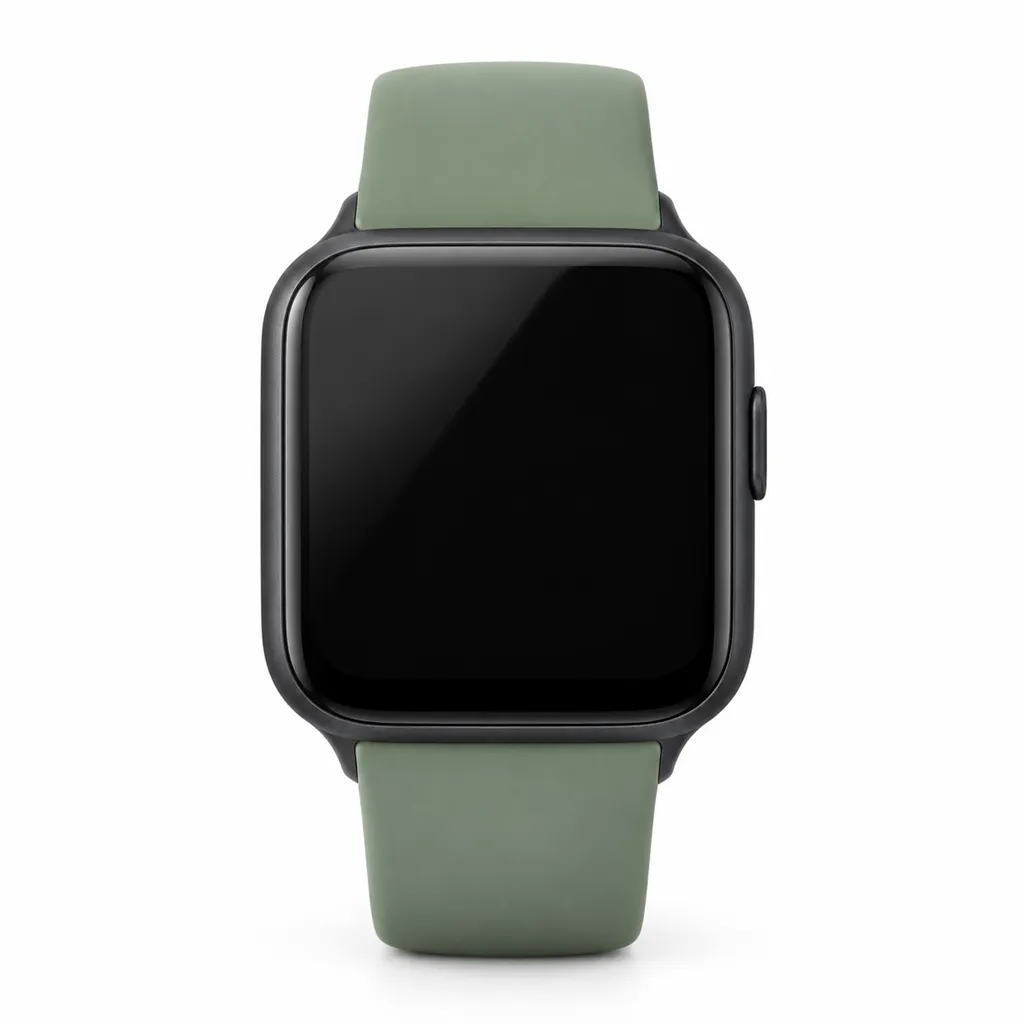
AI-generated hero shot: a square smartwatch with a matte black aluminium case
Hero
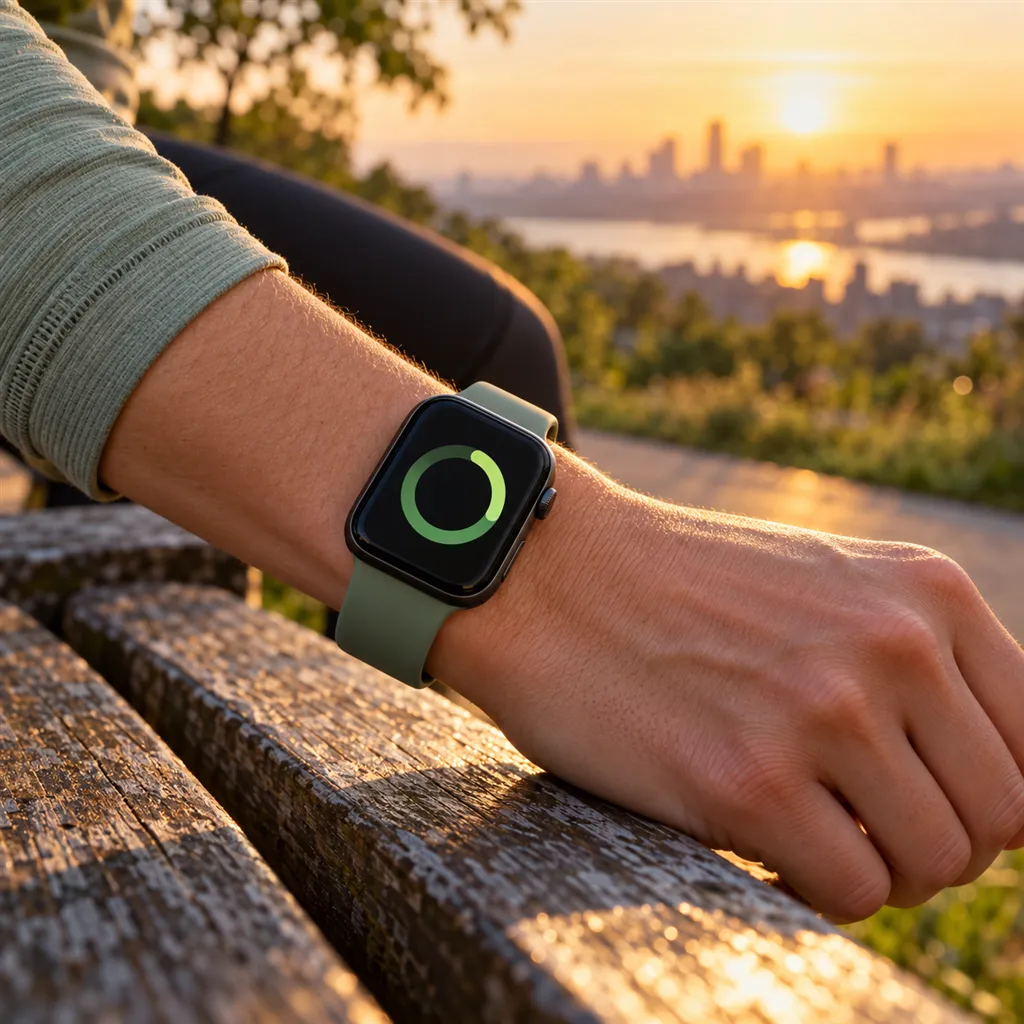
AI-generated lifestyle scene: a square black smartwatch with a sage green sport band on a runner's wrist
Lifestyle

Sample images AI-generated from a text description. Yours are made from your own product photo.

A smartwatch is a small black mirror on a strap. Switched off, the glass reflects whatever is in front of it; switched on, the screen glows at its own brightness and shows whatever happened to be on it, from a notification to a watch face someone else designed. Fitness bands add a second problem: a slim screen in a dark silicone band blurs into one shape at thumbnail size.

Buyers compare wearables on a short list of visible things: screen size and shape, how thick the case sits, which buttons it has, how the band fastens and what is on the back. AngleForge keeps the device as you photographed it, screen included, so decide what the display shows before you shoot: dark glass, or a plain face you have the rights to. The tool then builds the studio views, wrist scenes and close-ups around it.

What shoppers check

The questions your photos have to answer

How big is the screen on a real wrist?

A With scale or Lifestyle shot puts the case against a wrist, so a 41 mm or 45 mm case becomes a size buyers can picture. For fitness bands it shows how slim the band really is.

How thick is it, and is it comfortable to sleep in?

A side profile shows case height and the sensor bump underneath, the two things that decide comfort under a sleeve and overnight.

Which buttons and controls does it have?

A three-quarter view shows the side buttons or rotating crown together with the case edge, so buyers see how it's operated before they choose.

How does the band fasten, and can I swap it?

A close-up of the buckle, magnetic clasp or quick-release pins shows how the band closes and whether it changes without tools.

What's on the back?

The sensors and charging contacts sit underneath, out of sight in a front photo. Photograph the back yourself, because a generated view of a side the tool hasn't seen can only guess at the sensor layout.

The shot list

Shots that sell smartwatches & fitness bands

A set of 8 images includes every shot on this list, because each set uses the angles in order. That is 16 credits at 2 credits an image.

  1. 1

    Hero

    The thumbnail: case, screen and band as one clean shape, with the screen dark or showing a plain face.

  2. 2

    Front

    Screen square to the camera so buyers can judge display size and bezel width; the natural choice for the main image.

  3. 3

    45°

    Shows the crown or side buttons and the case edge, the controls buyers want to see before they choose.

  4. 4

    Side

    Case thickness and the sensor bump, which decide comfort for all-day and overnight wear.

  5. 6

    Detail

    The clasp, band texture or quick-release pins up close; on a fitness band, the seam where screen and strap meet.

  6. 7

    Lifestyle

    On a wrist at the gym, on a run or at a desk, in a scene that matches what the device actually tracks.

  7. 8

    With scale

    A hand or wrist beside the device for true size, useful when buyers are choosing between two case sizes.

Settings to use

Start with these in AngleForge

Category
Electronics
Lighting mood
Minimal
Background
Warm white
Set size
8 images
Open with these settings

6 free credits on sign-up for 3 test images · no card needed

Example brief

“Square smartwatch with a black aluminium case and a sage green silicone sport band. Keep the screen dark and the side button and band colour exactly as photographed; cool, even light with one soft reflection on the glass.”

Styling and light

  • Decide on the screen before you shoot. Dark glass with one soft reflection never shows a stale time or a stray notification; if you want a lit face, use a plain one you designed, with no app icons or personal data.
  • Wipe the glass and the sensor window, then angle the watch so the screen reflects something plain. Black glass shows every fingerprint and every lamp in the room.
  • Show the band the way it fastens: a sport band looped through itself, a magnetic band closed, a buckle done up at a middle hole.
  • Keep band colours true. Silicone greens, pinks and oranges drift under warm light, and buyers choosing a colourway compare them side by side.
  • On a black fitness band, a light background keeps the outline of the screen and strap readable; check the thumbnail at small size before you publish.
Marketplace rules

What each marketplace expects

Rules change, so check the current category guide in your seller dashboard before you upload.

Amazon

  • Amazon's Consumer Electronics style guide (2018) asks for a main image of the product alone, out of its packaging, on a white background, with a drop shadow when the product is white.
  • It suggests alternate images that show the product in use and close-ups of important features, so the wrist, button and clasp shots belong there. Rules differ by marketplace and change, so check the current style guide in Seller Central.
All Amazon image requirements

Flipkart

  • Fynd's summary of Flipkart's image rules asks for at least 1000 × 1000 pixels, a white or light grey background and the product alone, with no props, text, watermarks, ratings or comparisons with other brands.
  • Leave side-by-side comparisons with named brands out of the gallery, and confirm the smart wearables rules in Seller Hub before you upload.
All Flipkart image requirements

eBay

  • eBay's smartwatch listing tips ask for white backgrounds, high-resolution photos that fill the frame, every angle with its details and blemishes, natural colours and no props or accessories that aren't included.
  • For a used or refurbished watch, eBay's picture policy bans stock photos, so include your own shots of the real screen, case and band wear alongside any generated images.
All eBay image requirements

Common smartwatches & fitness bands photo mistakes

  • A notification, a low-battery icon or someone's step count left on the screen.
  • A watch face, app icons or a screenshot you don't have the rights to show.
  • A screen glowing at full brightness in a dim scene, so it looks pasted in.
  • No wrist shot, so a 41 mm and a 45 mm case look identical.
  • Lifestyle scenes that suggest features the device lacks, like swimming without a water rating.
  • Leaving out the back and the charger, the two things buyers check for sensors and charging.
FAQ

Smartwatches & fitness bands photography questions

Should the smartwatch screen be on or off in photos?
Either can work. Dark glass looks clean, avoids showing software you don't own and never shows a stale time. A lit screen should show a plain face you designed, with no notifications. AngleForge keeps the screen as photographed, so set it up before you take your photo.
Can I show my companion app or watch face?
If you made it or have the rights to it, yes, in the secondary images. Avoid other companies' watch faces, icons and logos, and keep the main image to the device alone on white, as Amazon's Consumer Electronics style guide asks.
Will AngleForge hide scratches on the glass?
No. It keeps the device as photographed, so use a clean, undamaged unit for new-product listings. For used devices on eBay, scratches have to stay visible anyway: the picture policy bans stock photos for used items and eBay asks for close-ups of blemishes.
How do I show the charger and spare bands?
Put them in the photo you upload and pick a 16-image set, the smallest that includes the Components shot, which lays out the parts in your photo. For a cheaper option, photograph the box contents yourself and add that picture to the gallery.
How many credits does a smartwatch set take?
Two credits per image: the 8-image set recommended here uses 16 credits, and the 16-image set with Components uses 32. Sign-up includes 6 free credits for 3 test images, packs start at $12 for 30 credits, and downloads are free and unwatermarked.

Related categories

Selling on Amazon?

Related guides

Your next listing, ready today

Sign up, upload a photo and your first image is ready in about 30 seconds. Make 3 images free, then pick a pack or plan. Your first credit pack comes with 50% extra credits.

  • 3 free images
  • No card needed
  • Failed images refunded