AngleForge
Fashion · Product photography

AI shoe product photography

Shoe buyers check the profile, the sole, the materials and the heel before they pick a size. AngleForge turns a photo of one shoe into a white-background main image, profile and top-down views, close-ups of stitching and materials, and styled scenes, with exports for Amazon, Flipkart, eBay and Shopify.
  • Sneakers
  • Heels & pumps
  • Sandals & slides
  • Boots
  • Flats & loafers
  • Kids' shoes
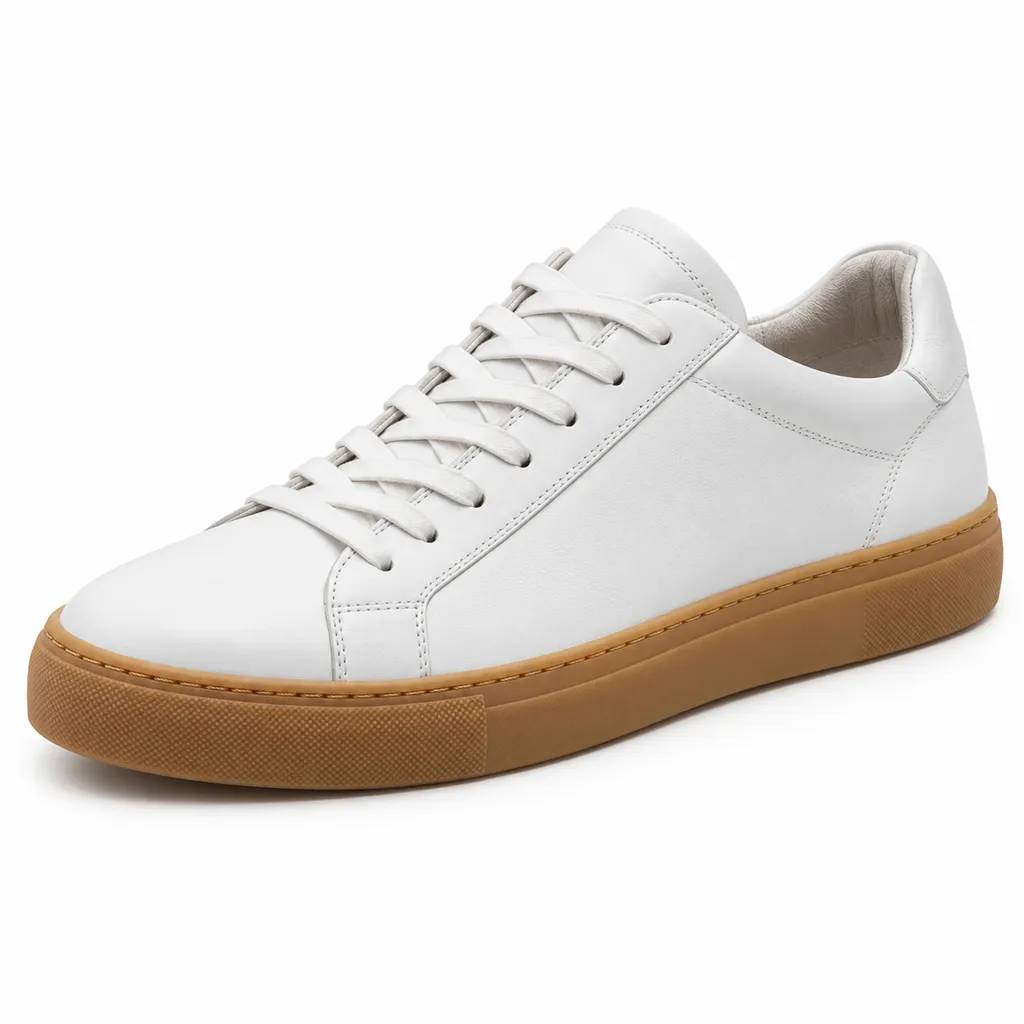
AI-generated hero shot: a single white leather low-top sneaker with a gum rubber sole and tonal stitching
Hero
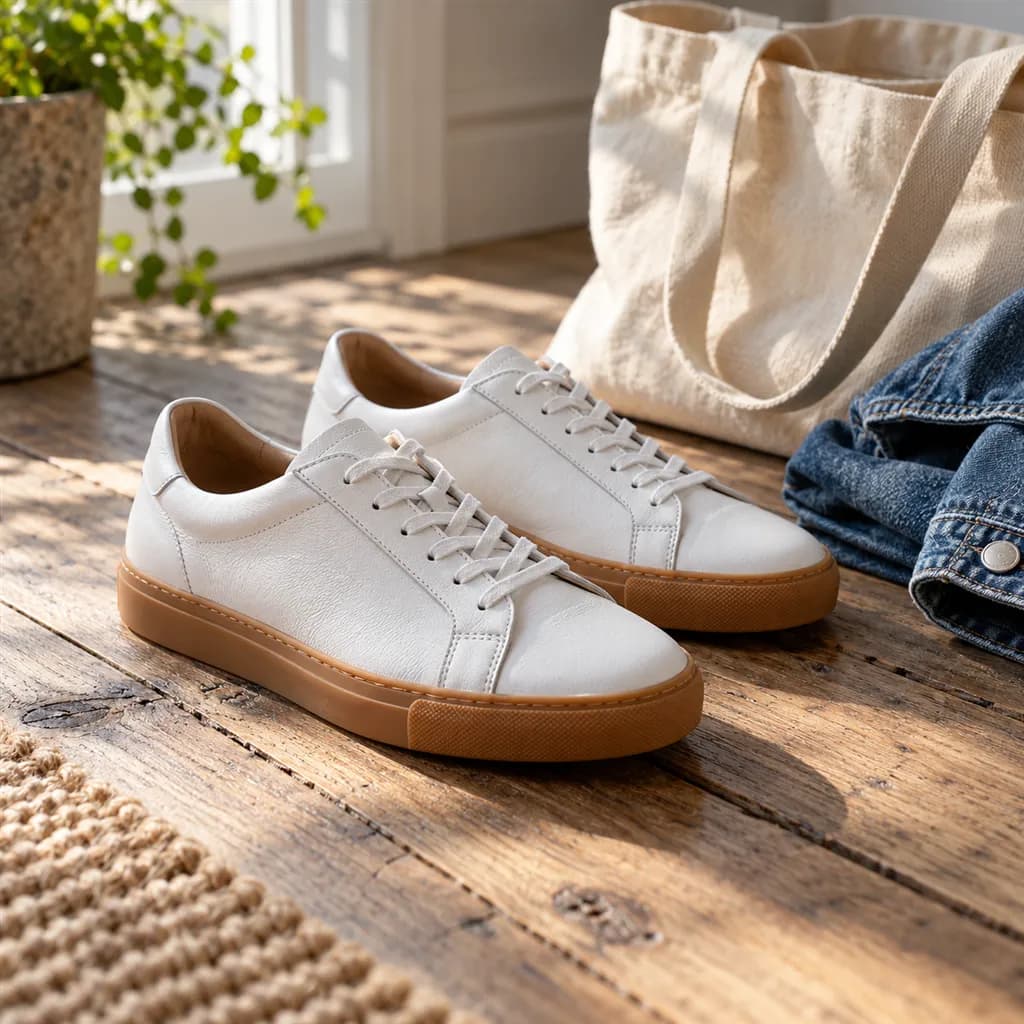
AI-generated lifestyle scene: a pair of white leather low-top sneakers with gum soles on weathered oak floorboards beside a canvas tote and a folded denim jacket
Lifestyle

Sample images AI-generated from a text description. Yours are made from your own product photo.

Shoes are bought on shape and materials, and both are easy to misrepresent. A sneaker's silhouette changes completely between the toe-on view and the profile, suede and nubuck change colour as the light moves, patent leather reflects the whole room, and a white midsole turns grey when the exposure is off. Buyers also hunt for what one view hides: the tread on the outsole, the heel height and how the collar sits at the ankle.

Marketplaces are unusually specific about footwear. Seller guides summarising Amazon's style guide say the main image shows a single shoe facing left at a 45° angle, and Flipkart seller guides ask for front, back, angled, top and sole views. AngleForge builds each scene around the shoe as you photographed it, so shoot it the way the main image should look and let the set cover the profile, top-down, detail and lifestyle images. Views your photo leaves out, such as the sole, need a second photo and set.

What shoppers check

The questions your photos have to answer

What does it look like side-on?

The Side profile shows toe spring, heel height, sole thickness and the line of the collar, which is how most buyers recognise a style.

Will it fit a wide foot?

A toe-on Front view shows the width of the toe box; your size chart covers the fit.

What's the grip like?

Only a sole image answers it. Photograph the outsole and run it as a small set so the tread pattern and flex grooves appear in the same style as the other images.

Is it real leather, suede or knit?

A Detail macro of the grain, nap, weave or stitching backs up the material named in the title, and it is the image buyers zoom into on expensive pairs.

What is it for?

A Lifestyle scene on a trail, a pavement or a polished floor tells buyers whether the shoe is meant for running, commuting or a wedding.

The shot list

Shots that sell shoes

A set of 12 images includes every shot on this list, because each set uses the angles in order. That is 24 credits at 2 credits an image.

  1. 1

    Hero

    One shoe on pure white; shoot it with the toe pointing left at about 45° and the Hero can serve as Amazon's main image.

  2. 2

    Front

    Toe-on, showing the width of the toe box, which wide-footed buyers check first.

  3. 3

    45°

    A three-quarter view of the vamp, the lacing and the overall shape of the last.

  4. 4

    Side

    The profile: heel height, platform, toe spring and the dip of the collar at the ankle.

  5. 5

    Top-down

    Looking into the shoe: the opening, the insole, the tongue and the lacing pattern. Flipkart seller guides ask for a top view.

  6. 6

    Detail

    Macro of stitching, leather grain, suede nap, knit or perforations, the proof behind the materials in your title.

  7. 7

    Lifestyle

    The shoe where it belongs (a trail, a city pavement, a dance floor), so its purpose is clear at a glance.

  8. 12

    Rear 3/4

    The heel counter, pull tab and heel build. If the back has a logo or contrast panel your photo doesn't show, photograph the heel and give it its own set.

Settings to use

Start with these in AngleForge

Category
Fashion
Lighting mood
Studio
Background
Cut-out white
Set size
12 images
Open with these settings

6 free credits on sign-up for 3 test images · no card needed

Example brief

“White leather low-top sneaker with a gum rubber sole and tonal stitching, photographed with the toe pointing left at about 45°. Keep the stitching, the toe perforations and the sole colour exactly as photographed; crisp, even light that keeps the white leather white.”

Styling and light

  • Stuff the toe and collar with tissue so the shoe holds its shape, lace it neatly with the tongue centred, and tuck loose lace ends inside for the main image.
  • Clean the midsole and the edge of the outsole before you shoot; scuffs on white rubber are the first thing a zoomed image reveals.
  • Light suede and nubuck with soft, low-angle light to bring out the nap, and glossy or patent leather with large diffused sources so reflections stay smooth.
  • White shoes can merge into a white background at thumbnail size. Check the outline in the Hero, and use Studio gray for secondary images if the edge gets lost.
  • Match each Lifestyle scene to the shoe's job: trail runners on rock and soil, heels on a polished floor, school shoes beside a satchel.
Marketplace rules

What each marketplace expects

Rules change, so check the current category guide in your seller dashboard before you upload.

Amazon

  • Seller guides summarising Amazon's style guide say the main image for shoes must show a single shoe, facing left at a 45° angle, on a pure white background.
  • The same guides list main-image bans that cover shoes: no packaging, no brand or swing tags and no visible mannequins. Keep the shoe box for a secondary image if it matters to buyers.
  • Use the secondary slots for the pair, the sole and the shoe in use; the Amazon preset exports the main image as a 2000 × 2000 JPEG on pure white.
All Amazon image requirements

Flipkart

  • Fynd's Flipkart seller guide makes front, back and angled shots mandatory for footwear, requires top and sole images, and asks for toe and heel shots on sandals.
  • In that guide a model wearing the shoe is optional, mannequin shots should be avoided, and on a model the footwear must fit properly.
All Flipkart image requirements

eBay

  • eBay allows up to 24 pictures per listing, with about 1600 × 1600 pixels recommended.
  • For pre-owned pairs, eBay doesn't allow stock photos and asks for close-ups of flaws, so show creasing, sole wear and heel drag in your own photos.
All eBay image requirements

Common shoes photo mistakes

  • A main image showing the pair, the box or a shoe facing right, when seller guides say Amazon wants one shoe facing left at 45°.
  • No sole image, though Flipkart guides list one as required and buyers use it to judge grip.
  • Dirty midsoles and creased toe boxes, which buyers notice the moment they zoom in.
  • Publishing the whole 12-image set unchecked: its Pair image shows two copies of the shoe you photographed, which can mean two shoes for the same foot.
  • Slumped, unlaced shoes. The tool keeps the shape you photographed, so a collapsed collar stays collapsed.
FAQ

Shoes photography questions

How do I get Amazon's 45° main image right?
Photograph one shoe on a plain surface with the toe pointing left and the shoe turned about 45° to the camera, lens at sole height. AngleForge builds the Hero around the shoe at that angle, and the Amazon preset exports it as a 2000 × 2000 JPEG on pure white. Check it against the current shoe style guide in Seller Central before you upload.
Can AngleForge show the sole?
Only when the sole is in your photo. Take a second photo of the outsole and run a 4-image set with it, which costs 8 credits; its Hero gives a clean sole view on white that matches the rest of the listing. Flipkart seller guides list a sole image as required for footwear.
Can I show both shoes together?
Yes. Photograph the pair side by side and make a separate set with that photo for secondary images and your own store. Keep a single-shoe set for Amazon's main image, which seller guides say must show one shoe.
Which images does a shoe listing need?
Plan for the main image, the profile, a toe-on view, the top looking in, a materials close-up, the sole and the heel, plus one lifestyle scene. That covers the views Flipkart's seller guides call for and the questions buyers ask about width, heel height and grip.
How much does a shoe set cost?
Images cost 2 credits each. The recommended 12-image set is 24 credits, and a 4-image sole set adds 8, so a complete shoe listing comes to about 32 credits. Failed images come back as credits automatically. New accounts start with 6 free credits, and packs begin at $12 for 30 credits.

Related categories

Selling on Amazon?

Related guides

Your next listing, ready today

Sign up, upload a photo and your first image is ready in about 30 seconds. Make 3 images free, then pick a pack or plan. Your first credit pack comes with 50% extra credits.

  • 3 free images
  • No card needed
  • Failed images refunded