AngleForge
Fashion · Product photography

AI clothing product photography

Clothing photos have to do the job of a fitting room: show the true colour, the fabric, the length and how the garment holds its shape. AngleForge turns a flat-lay or ghost-mannequin photo of your garment into a clean main image, fabric close-ups and styled scenes, with export sizes for Amazon, Etsy, Shopify and eBay.
  • T-shirts & tops
  • Shirts
  • Dresses
  • Knitwear & hoodies
  • Activewear
  • Kids' & baby clothing
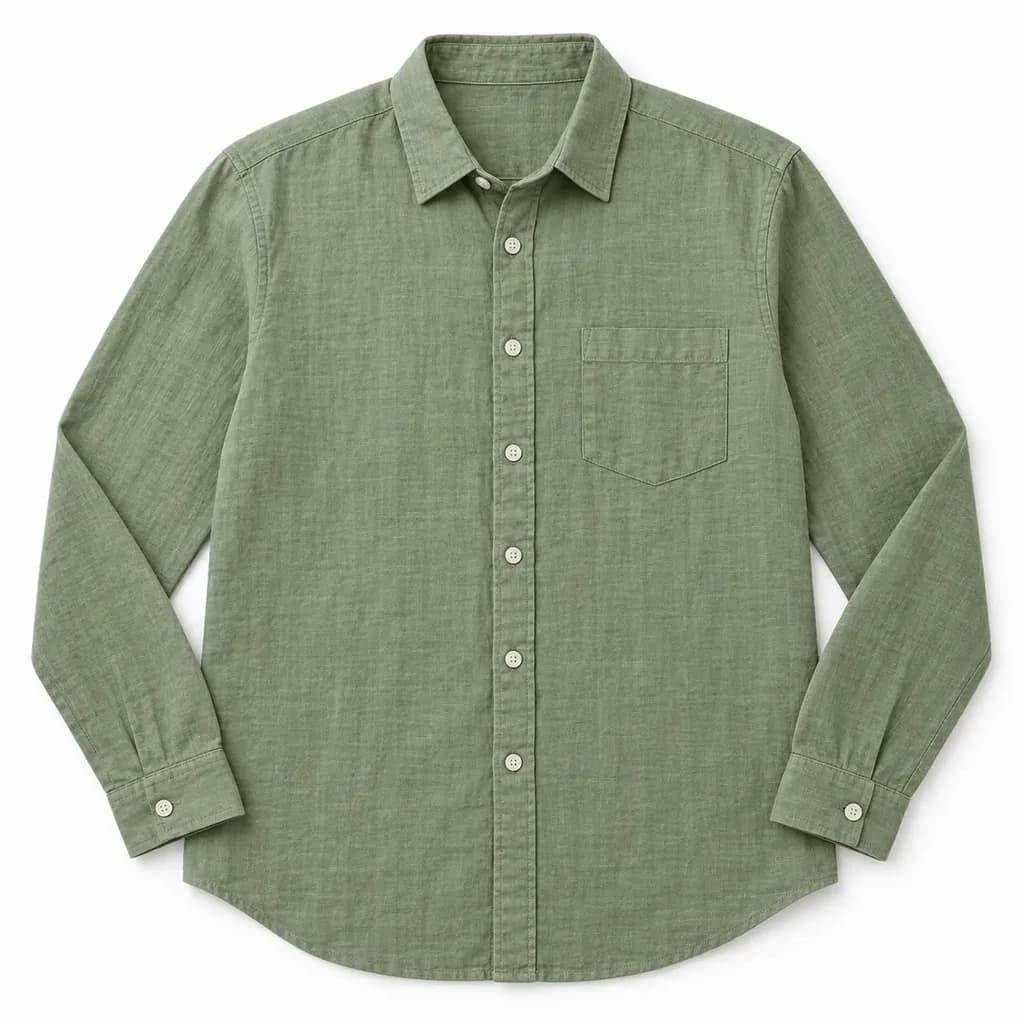
AI-generated hero shot: a sage green linen button-front shirt laid perfectly flat and symmetrical with the sleeves folded neatly at the sides
Hero
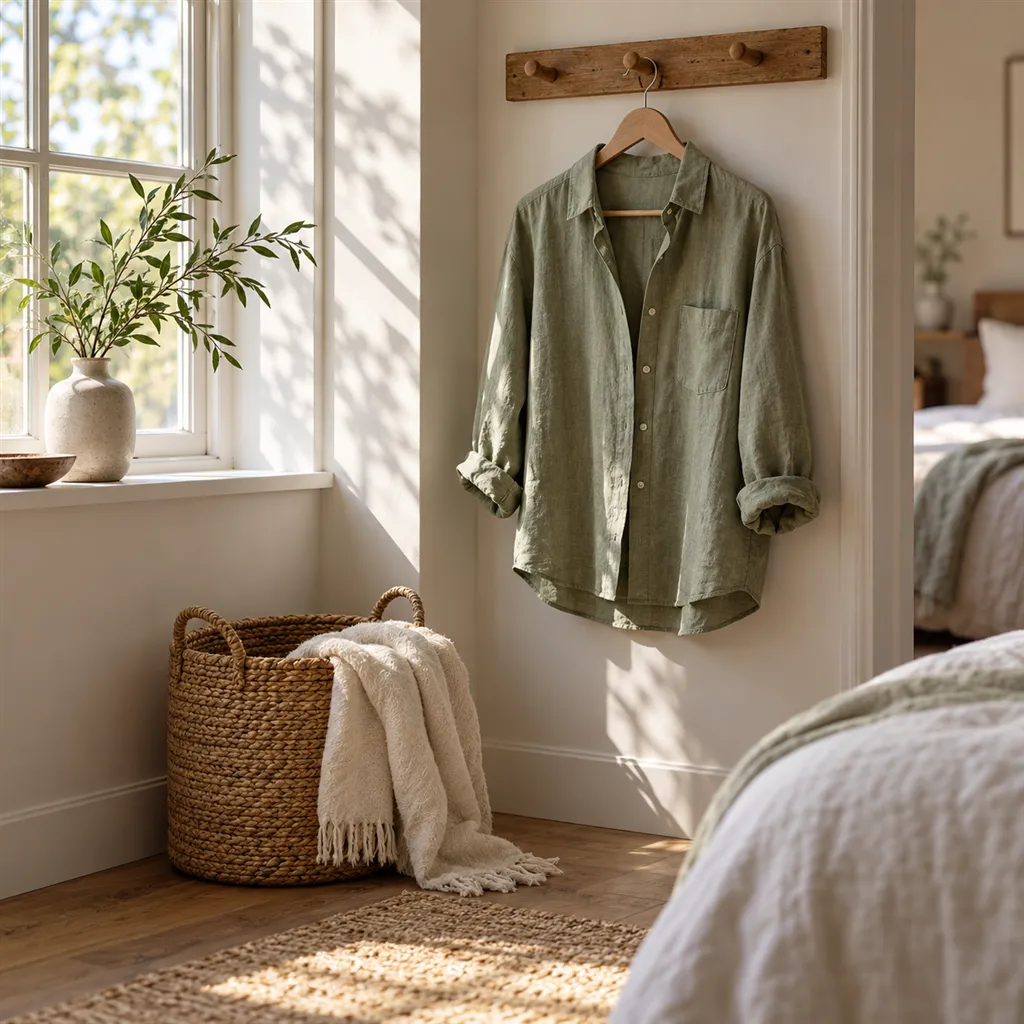
AI-generated lifestyle scene: a sage green linen shirt hanging on a wooden peg rail beside a sunlit window
Lifestyle

Sample images AI-generated from a text description. Yours are made from your own product photo.

Clothing is bought on colour, fabric and fit, and one weak photo can misrepresent all three. Auto white balance pushes navy towards black and oatmeal towards grey, a creased flat lay hides the cut, and a garment shown on its own gives no clue to its length or drape. Many 'not as described' returns trace back to a photo that showed a different shade, weight or silhouette from the garment that arrived.

Marketplaces also disagree on how clothes should be shown. Amazon's clothing style guides put adult garments on a standing model and children's clothes flat, while Etsy, Shopify and eBay leave the choice to you. AngleForge works with a photo of the real garment, laid flat or on a ghost mannequin, keeps the fabric, print and colour as photographed and builds the scene around it. It does not dress a model; where a model shot is required, it covers the flat lay, back view, detail and styled images around it.

What shoppers check

The questions your photos have to answer

Is the colour true?

An evenly lit main image on a neutral background keeps the shade honest, and a fabric close-up confirms it. Check both against the garment before you publish.

What is the fabric like?

A Detail macro of the weave, knit or brushed surface shows weight and texture, which buyers zoom in to judge when the title says linen, merino or French terry.

How long is it, and what's the silhouette?

A straight front view and a side profile show the hemline, sleeve length and shape. Add the garment's measurements to the description so buyers can compare it with clothes they own.

What does the back look like?

Amazon's clothing style guide puts the back view right after the front in importance. Photograph the back too and give it its own small set so it matches the front images.

The shot list

Shots that sell clothing

A set of 8 images includes every shot on this list, because each set uses the angles in order. That is 16 credits at 2 credits an image.

  1. 1

    Hero

    The garment alone on white, centred and filling the frame: the lead image for Etsy, Shopify and eBay.

  2. 2

    Front

    Square to the camera, so a neckline, a button placket or a chest print reads without distortion.

  3. 3

    45°

    Shows the side seams, the sleeve head and how a structured jacket keeps its form.

  4. 4

    Side

    The profile: a dipped hem, the depth of a hood, or how far a skirt flares out from the waist.

  5. 5

    Top-down

    A true flat lay for knitwear and multipacks, and the main image for kids' and baby clothing, which Amazon asks to be photographed flat.

  6. 6

    Detail

    Macro of the weave or knit, stitching, rib cuffs, a zip pull or the care label.

  7. 7

    Lifestyle

    A setting that hints at how the garment is worn, from a beach towel for swimwear to a fireside chair for a fleece.

  8. 8

    With scale

    Best for baby and kids' sizes: a hand or a ruled surface beside a newborn bodysuit shows how small it really is.

Settings to use

Start with these in AngleForge

Category
Fashion
Lighting mood
Clean
Background
Cut-out white
Set size
8 images
Open with these settings

6 free credits on sign-up for 3 test images · no card needed

Example brief

“Women's linen button-front shirt in sage green with coconut-shell buttons. Keep the colour, the collar shape and the button placket exactly as photographed; soft, even light that shows the slub of the linen.”

Styling and light

  • Steam or press every garment and lint-roll dark fabrics first; the tool keeps the fabric as photographed, so creases and fluff reappear in every image.
  • Lay flat garments out symmetrically, using the seams as guides. Amazon's style guide suggests pins plus a liner or stuffing so the garment keeps some body.
  • Shoot in soft daylight away from coloured walls, which tint white fabric, and compare navy, black, red and pastels with the real garment on screen, since they drift most.
  • Keep the fold, background and settings identical for every colourway and size, so the variant images look like one shoot when a shopper switches colour.
  • For multipacks, arrange the source photo the way Amazon's guide describes: pieces cascading diagonally from left to right, with the darkest at the top left or the print at the front.
Marketplace rules

What each marketplace expects

Rules change, so check the current category guide in your seller dashboard before you upload.

Amazon

  • Amazon's clothing style guides ask for adult garments on a standing human model in the main image; the UAE guide accepts a ghost mannequin or flat lay as less-preferred options. Kids' and baby clothing is shot flat or on a ghost mannequin, never on a child model.
  • Every colour needs its own main image: one front view on pure white (#FFFFFF), showing only what is sold, with no hanger, visible mannequin, tags or packaging.
  • Amazon's 2022 clothing guide recommends five to seven images per listing, led by a clear front and back, all in the same crop as the main one.
All Amazon image requirements

Etsy

  • Etsy allows up to 20 photos per listing, enough for each colour, the back, a fabric close-up and a measurements shot.
  • Photography guides note that Etsy crops the search thumbnail from your first photo and advise a square or landscape image for it, because a tall portrait of a maxi dress loses its sides.
All Etsy image requirements

eBay

  • eBay allows up to 24 pictures per listing and recommends about 1600 × 1600 pixels; use a custom export size for it.
  • For pre-owned clothing, eBay doesn't allow stock photos of used items and asks for clear close-ups of flaws, so keep your own photos of pilling, fading or marks in the listing.
All eBay image requirements

Common clothing photo mistakes

  • Creases, lint and loose threads in the source photo, which repeat across every image in the set.
  • Colour drift: a navy jumper that looks black, or a pastel turned grey by warm indoor light.
  • Hangers, swing tags or a visible mannequin left in the main image, all of which Amazon's clothing guides rule out.
  • Skipping the back view, which Amazon's style guide ranks next after the front.
  • Styled scenes with props that look included, such as a belt or a bag the buyer won't receive.
FAQ

Clothing photography questions

Can AngleForge put my clothes on a model?
No. It keeps the garment as you photographed it and builds the scene around it. Where Amazon wants an adult garment on a standing model, shoot that main image with a real model and use AngleForge for the rest of the gallery. For kids' and baby clothing, which Amazon asks to be photographed flat, the flat lay can be the main image.
How should I photograph clothes for the best results?
Steam the garment, lay it flat on a plain, light surface or dress a ghost mannequin, and shoot from straight above or straight on in soft daylight with the whole garment in frame. Upload a JPG, PNG or WebP up to 10 MB; a sharp, evenly lit photo gives a cleaner set.
How do I add a back view?
Take a second photo of the back and run it as its own 4-image set. You get a clean back view in the same style and background as the front images, which matters on Amazon, where the clothing guide treats the back as the most important image after the front.
What size should clothing images be?
Amazon's 2022 clothing guide uses a portrait crop of about 10:13 for on-model shots, lets flat lays be square, and asks for one crop across a listing. Use the 2000 × 2000 Amazon preset when every image is square, or a custom portrait size that matches your model shot.
How much does a clothing set cost?
At 2 credits an image, the recommended 8-image set is 16 credits, and a 4-image back-view set adds 8, so one colourway with front, back, flat lay, detail and styled shots comes to 24 credits. Failed images are refunded automatically, new accounts get 6 free credits, and credit packs start at $12 for 30 credits.

Related categories

Selling on Amazon?

Related guides

Your next listing, ready today

Sign up, upload a photo and your first image is ready in about 30 seconds. Make 3 images free, then pick a pack or plan. Your first credit pack comes with 50% extra credits.

  • 3 free images
  • No card needed
  • Failed images refunded