How big is it, really?
The With scale image puts the bag beside a hand or an everyday object, which buyers read faster than a list of centimetres. Keep the dimensions in the description too.
Handbag buyers want three answers a front shot can't give them: how big the bag is, how deep it is and how well it's made. AngleForge turns a photo of your bag into a white main image, three-quarter and side views, close-ups of hardware and stitching, and scale shots, sized for Amazon, Etsy, Shopify and eBay.
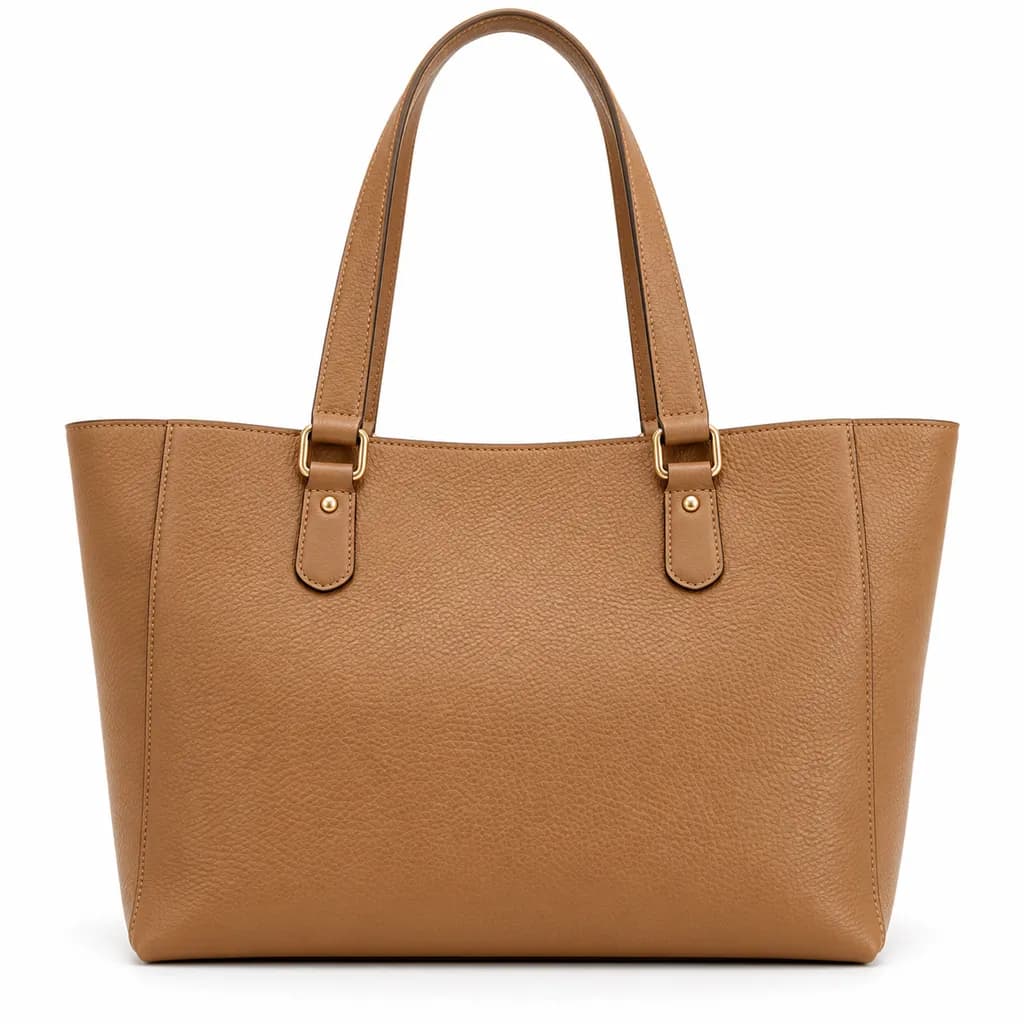
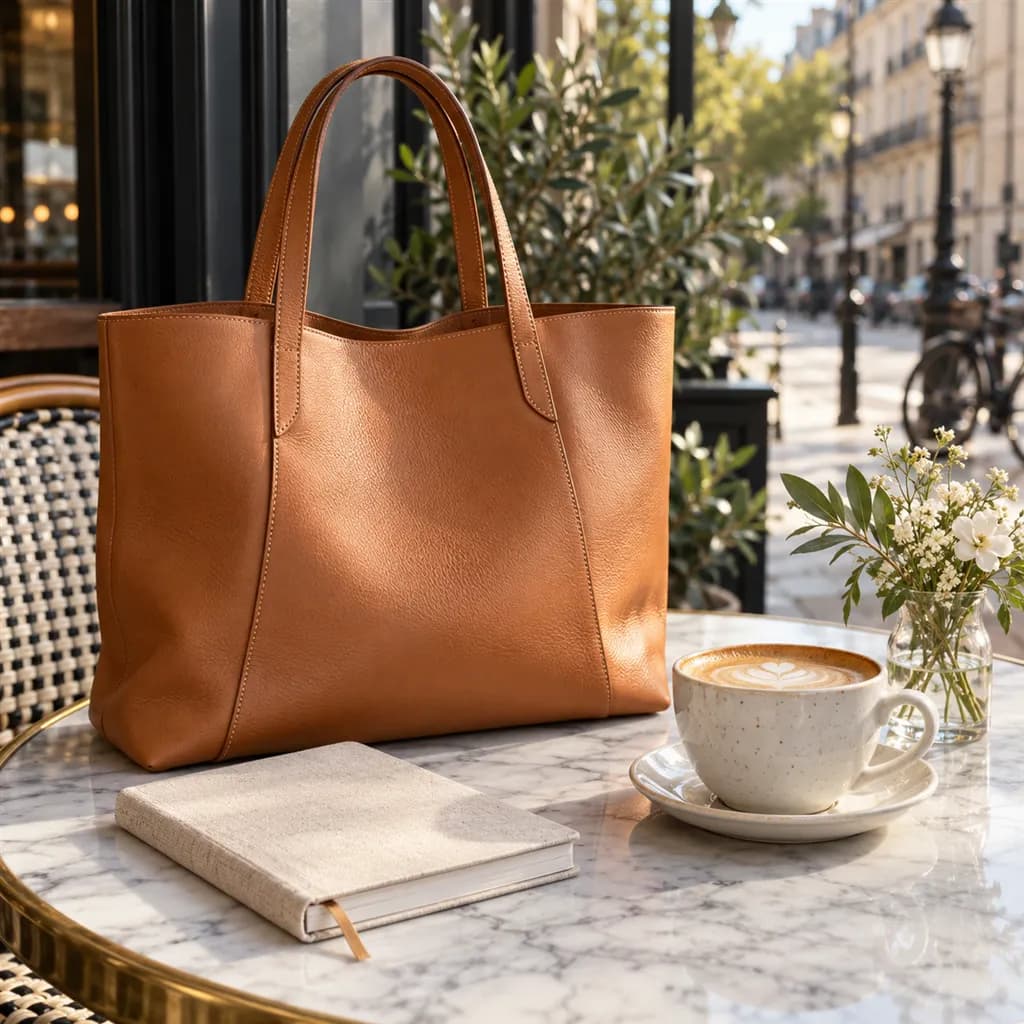
Sample images AI-generated from a text description. Yours are made from your own product photo.
Bags are three-dimensional, yet many listings photograph them as if they were flat. A front view hides the gusset, so a roomy tote and a slim crossbody can look the same size; an unstuffed bag slumps; polished hardware picks up hot spots while black leather loses its grain. Colour matters as much as shape: tan, cognac and camel are different bags to a buyer, and a warm cast turns one into another.
The questions that stall a bag sale are practical. Will my phone, laptop or water bottle fit? How long is the strap drop? Will the hardware tarnish? A good gallery answers them with angles, close detail and a sense of scale. AngleForge keeps your bag as photographed, including its shape, colour and hardware, and builds the clean main image and the supporting shots around it, so a range of colours shot at home still looks like one studio session.
The With scale image puts the bag beside a hand or an everyday object, which buyers read faster than a list of centimetres. Keep the dimensions in the description too.
The 45° and Side views show the gusset: the difference between a bag that swallows a lunch box and one that takes a phone and keys.
A Detail macro of stitching, edge paint, zip teeth and metal feet shows the build quality a buyer would check in a shop.
Photograph the open bag from above and give that photo its own set. The Top-down view of the closed bag shows the zip, snap or drawstring.
A Lifestyle scene, such as a tote on an office desk or a clutch on a restaurant table, shows the occasion the bag suits.
A neutral, evenly lit Hero keeps the shade honest. Check tan, cognac and burgundy against the real bag before you publish.
The shot list
A set of 8 images includes every shot on this list, because each set uses the angles in order. That is 16 credits at 2 credits an image.
Hero
The bag alone on white, standing upright with the handles raised: the main image and search thumbnail.
Front
The front panel, flap or clasp square-on, so proportions and logo placement read correctly.
45°
Front and side together, where depth and structure become obvious.
Side
Gusset width and handle drop seen side-on, the view that answers 'will it fit?'
Top-down
The opening from above: zip, magnetic snap, drawstring or frame.
Detail
Macro of stitching, edge paint, grain, zip pulls and metal feet, where quality shows.
Lifestyle
The bag in a café, an office or an evening setting that matches its price.
With scale
A hand or a coffee cup beside the bag for an instant read on size.
Settings to use
6 free credits on sign-up for 3 test images · no card needed
Example brief
“Tan pebbled-leather tote with gold-tone hardware and two shoulder handles, stuffed so it stands upright. Keep the leather colour, the stitching and the hardware finish exactly as photographed; soft light that shows the grain without shine.”
Styling and light
Rules change, so check the current category guide in your seller dashboard before you upload.
Sign up, upload a photo and your first image is ready in about 30 seconds. Make 3 images free, then pick a pack or plan. Your first credit pack comes with 50% extra credits.