AngleForge
Accessories · Product photography

AI jewelry product photography

Jewelry photos have to show a small, reflective object at the right size and in the right colour, because buyers can't hold it before they pay. AngleForge turns a photo of your piece into a white main image, in-hand and scale shots that show its size, and macro details of stones, settings and hallmarks, sized for Amazon, Etsy, Shopify and Flipkart.
  • Rings
  • Necklaces & pendants
  • Earrings
  • Bracelets
  • Anklets
  • Jewelry sets
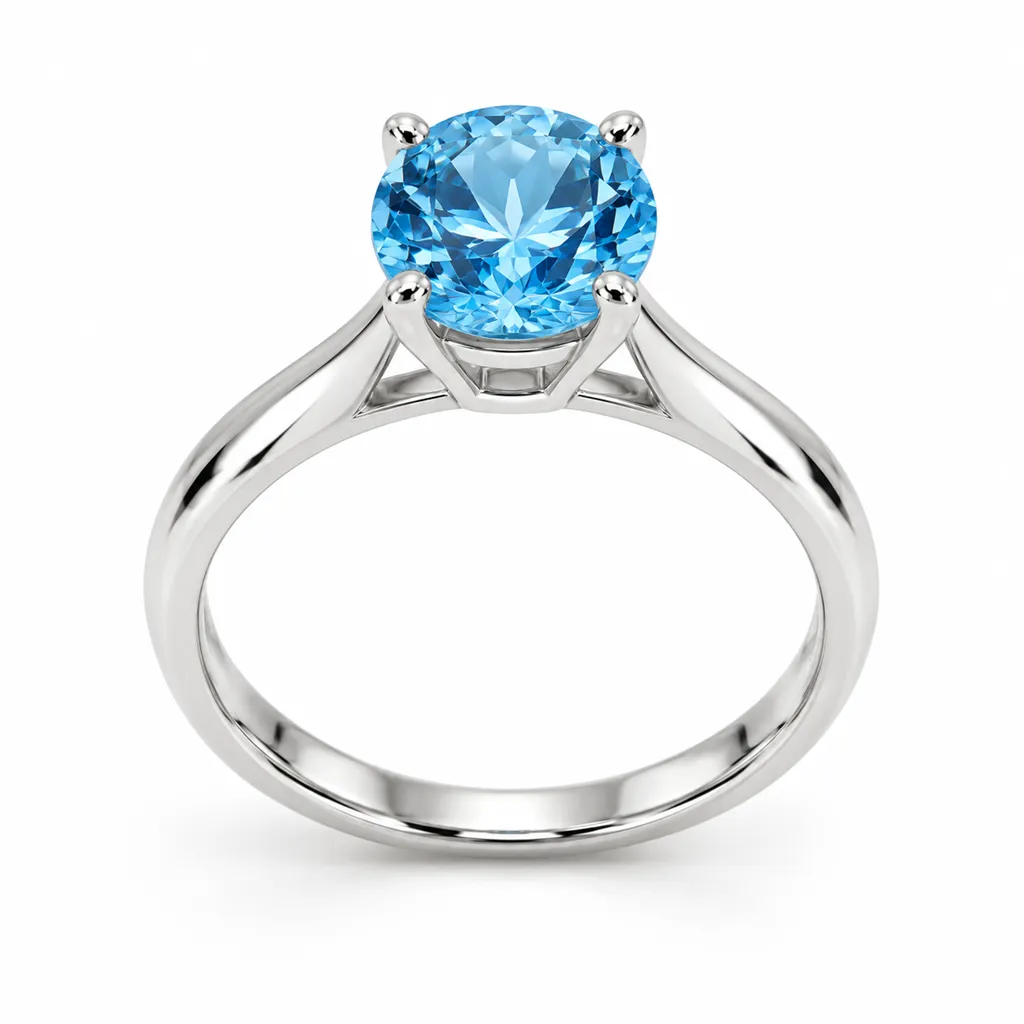
AI-generated hero shot: a sterling silver solitaire ring with a round blue topaz stone
Hero
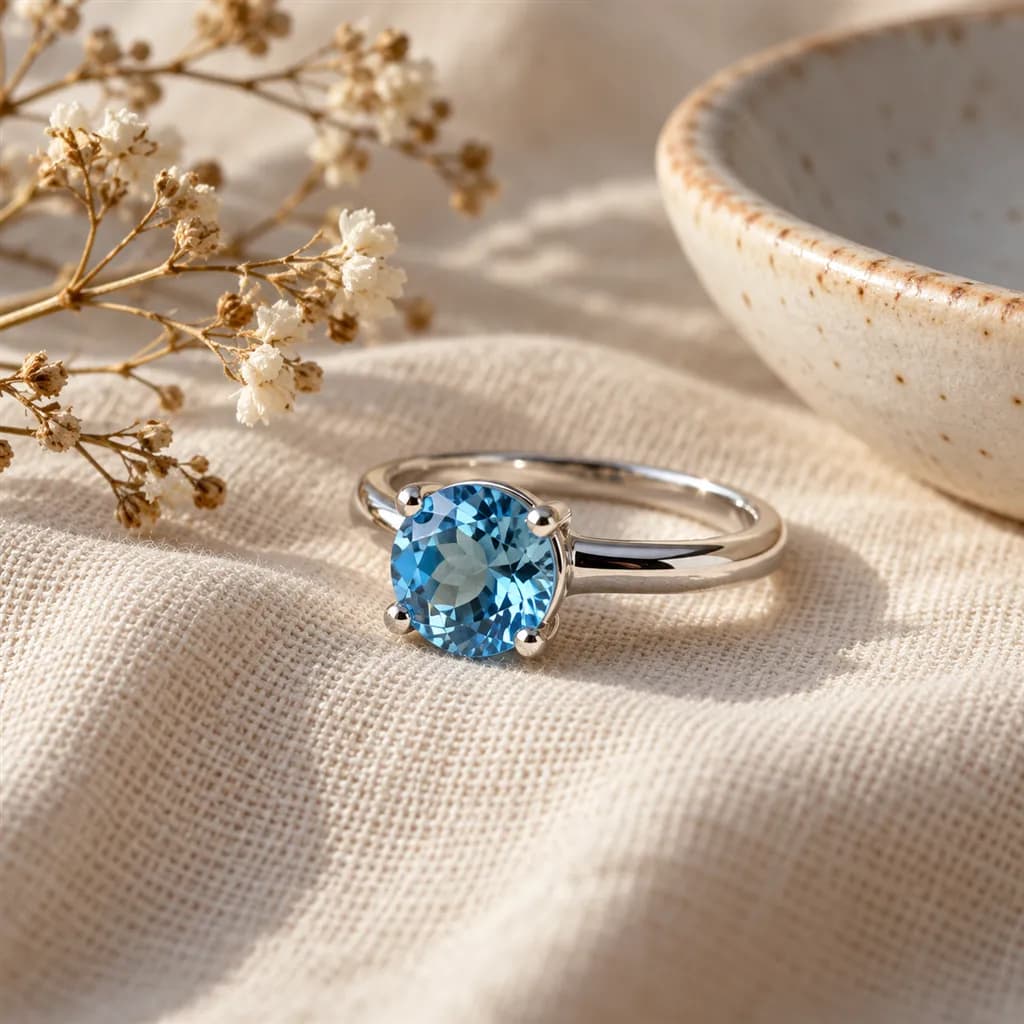
AI-generated lifestyle scene: a sterling silver ring with a round blue topaz stone resting on soft cream linen beside a small ceramic dish and a sprig of dried flowers
Lifestyle

Sample images AI-generated from a text description. Yours are made from your own product photo.

Jewelry is one of the hardest products to photograph well. Polished metal mirrors the whole room, stones lose their colour under the wrong light, and a ring photographed alone on white gives no clue whether it is 6 mm or 16 mm across. When a piece disappoints after delivery, the photo usually promised a different size or colour.

A good jewelry listing answers those doubts in order. The main image shows the piece clean and sharp; the next images show it in a hand, at true size, and close enough to read the stamp on the band. AngleForge keeps the piece itself as it appears in your photo and builds the scenes around it, so you can cover most of those shots without booking a macro lens, a hand model and a light tent.

What shoppers check

The questions your photos have to answer

How big is it really?

An in-hand or scale shot settles it: a ring held between two fingers or set beside a familiar object shows true size in a way no measurement in the bullets can.

Is the metal the colour I expect?

Yellow, rose and white gold read differently under warm and cool light. A neutral, evenly lit hero keeps the tone honest, and the detail shot confirms it up close.

Is the stone clear and properly set?

A macro detail of the setting shows the prongs, the cut and any inclusions, which is what careful buyers zoom in to check.

How does the clasp or back work?

A side or rear view shows the clasp, the earring back or the hinge, the part buyers worry about breaking.

Will it make a good gift?

A packaging shot with the box or pouch answers it, and many jewelry orders are gifts.

The shot list

Shots that sell jewelry

A set of 16 images includes every shot on this list, because each set uses the angles in order. That is 32 credits at 2 credits an image.

  1. 1

    Hero

    The piece alone, filling the frame, as the main image and search thumbnail.

  2. 3

    45°

    Shows depth, so a ring's band width and the height of a stone setting are visible.

  3. 4

    Side

    Profile of the setting, the band or the drop length of an earring.

  4. 6

    Detail

    Macro of the stone, the prongs, the clasp or the 925 / 14K stamp.

  5. 7

    Lifestyle

    The piece styled in a setting that matches its price point, such as linen for silver or velvet for fine pieces.

  6. 8

    With scale

    Size against a hand or a familiar object, the shot that prevents 'smaller than expected' returns.

  7. 10

    Pair

    Earrings and matching sets shown together, the way they are sold.

  8. 14

    In hand

    A ring or pendant held in the hand, a quick read on size and finish.

Settings to use

Start with these in AngleForge

Category
Accessories
Lighting mood
Luxury
Background
Cut-out white
Set size
16 images
Open with these settings

6 free credits on sign-up for 3 test images · no card needed

Example brief

“Sterling silver ring with a round blue topaz. Keep the stone colour and the 925 stamp exactly as photographed; soft, even light with a little sparkle on the stone.”

Styling and light

  • Light metal with large, soft light from the sides and keep harsh hotspots off the stone. A clean white main image needs no props at all.
  • Match the scene to the price: linen and ceramic for everyday silver, dark velvet or marble for fine pieces, never both in one listing.
  • Keep the metal tone consistent across every image in the set; a ring that looks yellow in one shot and white in the next reads as two products.
  • For in-hand shots, keep the hand and nails simple so the piece stays the brightest thing in the frame.
Marketplace rules

What each marketplace expects

Rules change, so check the current category guide in your seller dashboard before you upload.

Amazon

  • The main image shows the piece alone on pure white (RGB 255, 255, 255), with no props, text or extra views. In-hand and lifestyle shots belong in the other image slots.
  • Seller guides summarising Amazon's style guide note that jewelry, such as long necklaces, is an exception to the rule that the product must not touch the edge of the frame.
  • Fine jewelry (gold, platinum, natural diamonds and precious stones) is a restricted category that needs Amazon's approval before you can list; fashion jewelry is open.
All Amazon image requirements

Etsy

  • Etsy allows up to 20 photos per listing, and the first one is the thumbnail shoppers see in search, so lead with your clearest shot.
  • Etsy shoppers want to judge size before they buy: put a scale or in-hand shot early in the gallery, and add one photo of the piece worn if you can take it yourself.
All Etsy image requirements

Shopify

  • Use the same square size for every product image so collection grids line up; 2048 × 2048 leaves room for zoom.
  • Give each image descriptive alt text (metal, stone, style). It helps shoppers using screen readers and Google Images.
All Shopify image requirements

Flipkart

  • Fashion and imitation jewelry sells in volume on Flipkart. Use a plain white main image and check the category's catalog guidelines in Seller Hub before you upload.
All Flipkart image requirements

Common jewelry photo mistakes

  • A colour cast on the metal, so white gold looks yellow or silver looks grey.
  • No sense of scale: a ring alone on white with nothing to compare it to.
  • Dust, fingerprints and scratches that a macro shot makes impossible to miss.
  • Heavy retouching that makes a stone look larger, clearer or more saturated than the real one.
  • Busy props competing with a small piece, or a different backdrop for every product in the shop.
FAQ

Jewelry photography questions

Can AI product photography handle reflective jewelry?
Yes, as long as the source photo is sharp and evenly lit. AngleForge keeps your piece as it appears in your photo and builds the light and scene around it. Check every image for stone colour and engraving before you publish, since a blurry or colour-cast source carries through.
Can I show jewelry on a model?
AngleForge doesn't put jewelry on a model. The In hand and With scale shots show the piece held in a hand or beside a familiar object, which answers the size question. For a worn photo, take one yourself. On Amazon both belong in the secondary slots; the main image shows the piece alone on white.
What size should jewelry photos be?
Square 2000 × 2000 suits Amazon and gives room for zoom. Etsy recommends about 2700 × 2025 (4:3) for its thumbnails, and Shopify works well with 2048 × 2048. AngleForge exports each size with the marketplace presets.
How many photos should a jewelry listing have?
Cover the hero, an angle, a macro detail, an in-hand or scale shot and, for gifts, the packaging: six to eight images for most pieces. Etsy allows up to 20, which leaves room for every metal or stone option.
How much does it cost to make a set?
Each image costs 2 credits. The 16-image set that includes every shot on this page, in-hand view included, is 32 credits; an 8-image set (16 credits) covers the hero through the scale shot. New accounts get 6 free credits to test 3 images, and packs start at $12 for 30 credits.

Related categories

Selling on Amazon?

Related guides

Your next listing, ready today

Sign up, upload a photo and your first image is ready in about 30 seconds. Make 3 images free, then pick a pack or plan. Your first credit pack comes with 50% extra credits.

  • 3 free images
  • No card needed
  • Failed images refunded